Spectre.Console.Cli generates help text automatically from your commands and settings. When the defaults don't match your needs—whether for branding, accessibility, or clarity—you can customize the application name, add usage examples, adjust styling, or disable styling entirely for plain text output.
What We're Building
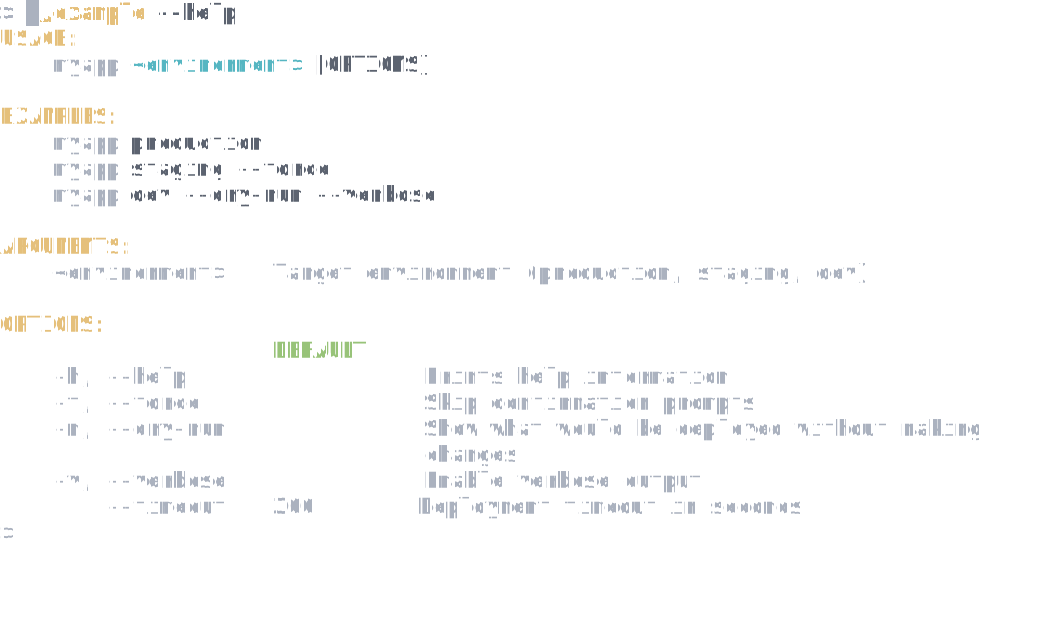
Customized help output with a branded application name and usage examples showing common invocation patterns:
Set Application Name and Add Examples
By default, help text shows the executable name (often ending in .dll during development). Use SetApplicationName to display a cleaner name, and AddExample to show users how to invoke your CLI with common argument patterns.
var app = new CommandApp<DeployCommand>();

app.Configure(config =>
{
    // Set application name (overrides default exe/dll name)
    config.SetApplicationName("myapp");

    // Set version shown in --version output
    config.SetApplicationVersion("1.2.0");

    // Add examples shown in top-level help
    config.AddExample("production");
    config.AddExample("staging", "--force");
    config.AddExample("dev", "--dry-run", "--verbose");
});

return await app.RunAsync(args);
This produces help output like:
USAGE:
    myapp <environment> [OPTIONS]

EXAMPLES:
    myapp production
    myapp staging --force
    myapp dev --dry-run --verbose
Customize Help Styling
To change colors and formatting in help output, configure HelpProviderStyles. You can style descriptions, arguments, options, and examples independently using Spectre.Console markup syntax.
var app = new CommandApp<DeployCommand>();

app.Configure(config =>
{
    config.SetApplicationName("myapp");

    // Customize help text styling
    config.Settings.HelpProviderStyles = new HelpProviderStyle
    {
        Description = new DescriptionStyle
        {
            Header = "bold blue",
        },
        Options = new OptionStyle
        {
            RequiredOption = "bold red",
            DefaultValue = "dim",
        },
        Arguments = new ArgumentStyle
        {
            RequiredArgument = "bold green",
            OptionalArgument = "dim green",
        },
    };
});

return await app.RunAsync(args);
Available style classes include DescriptionStyle, ArgumentStyle, OptionStyle, CommandStyle, and ExampleStyle—each with properties for different elements like headers, required vs optional items, and default values.
Remove Styling for Plain Text
For maximum accessibility, piping to files, or environments without color support, disable all styling by setting HelpProviderStyles to null.
var app = new CommandApp<DeployCommand>();

app.Configure(config =>
{
    config.SetApplicationName("myapp");

    // Remove all styling for plain text output (accessibility/piping)
    config.Settings.HelpProviderStyles = null;
});

return await app.RunAsync(args);
Implement a Custom Help Provider
For complete control over help formatting, implement IHelpProvider and register it with SetHelpProvider. This lets you restructure sections, add custom content, or integrate with external documentation systems.
app.Configure(config =>
{
    config.SetHelpProvider(new CustomHelpProvider(config.Settings));
});
The built-in HelpProvider class can also be extended if you only need to override specific sections.
See Also
- Hiding Commands and Options - Keep commands functional but hidden from help