Sometimes you need commands or options that work but shouldn't appear in help output—internal debugging tools, deprecated features you're phasing out, or advanced options that would overwhelm typical users. Hidden items remain fully functional; users who know about them can still use them.
What We're Building
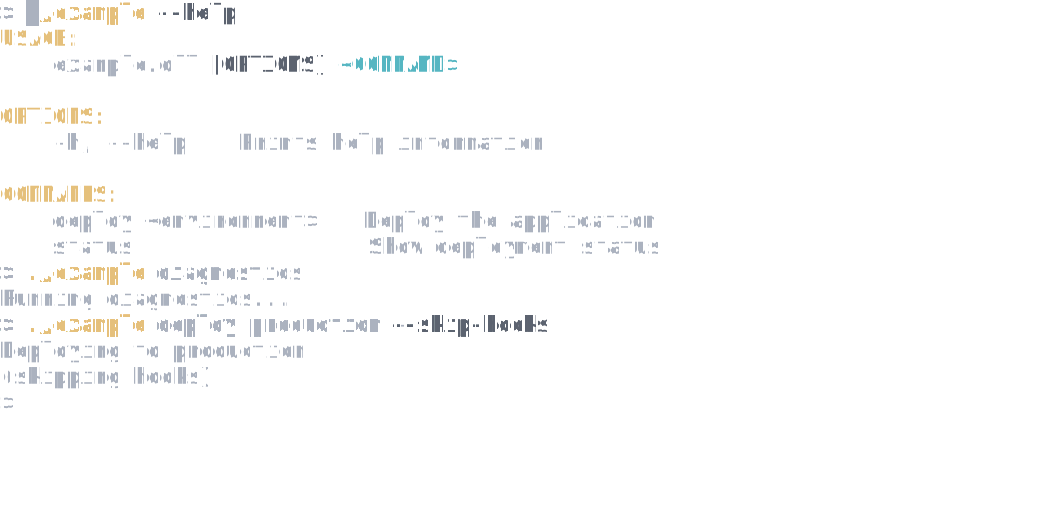
Notice diagnostics doesn't appear in help but still works when invoked directly. The --skip-hooks option on deploy is similarly hidden:
Hide a Command
To hide a command from help output, chain .IsHidden() when configuring it:
var app = new CommandApp();

app.Configure(config =>
{
    config.AddCommand<DeployCommand>("deploy")
        .WithDescription("Deploy the application");

    config.AddCommand<StatusCommand>("status")
        .WithDescription("Show deployment status");

    // Hidden command - works but won't appear in help
    config.AddCommand<DiagnosticsCommand>("diagnostics")
        .WithDescription("Internal diagnostics")
        .IsHidden();
});

return await app.RunAsync(args);
Running --help shows only deploy and status, but diagnostics still works when invoked directly.
Hide an Option
For options, set IsHidden = true on the attribute:
public class Settings : CommandSettings
{
    [CommandArgument(0, "<environment>")]
    [Description("Target environment")]
    public string Environment { get; init; } = string.Empty;

    [CommandOption("-f|--force")]
    [Description("Skip confirmation")]
    public bool Force { get; init; }

    // Hidden option - works but won't appear in help
    [CommandOption("--skip-hooks", IsHidden = true)]
    [Description("Skip deployment hooks (internal use)")]
    public bool SkipHooks { get; init; }
}
The --skip-hooks option won't appear in deploy --help, but users can still pass it.
See Also
- Customizing Help Text and Usage - Control what appears in help output
- Defining Commands and Arguments - Command and option basics