Logging in CLI Apps
Add structured logging to your CLI commands using Microsoft.Extensions.Logging
In this tutorial, we'll add logging to a CLI application with configurable log levels. By the end, you'll have commands that use structured logging with levels controllable via command-line options.
What We're Building
Here's how our CLI will work when we're done:
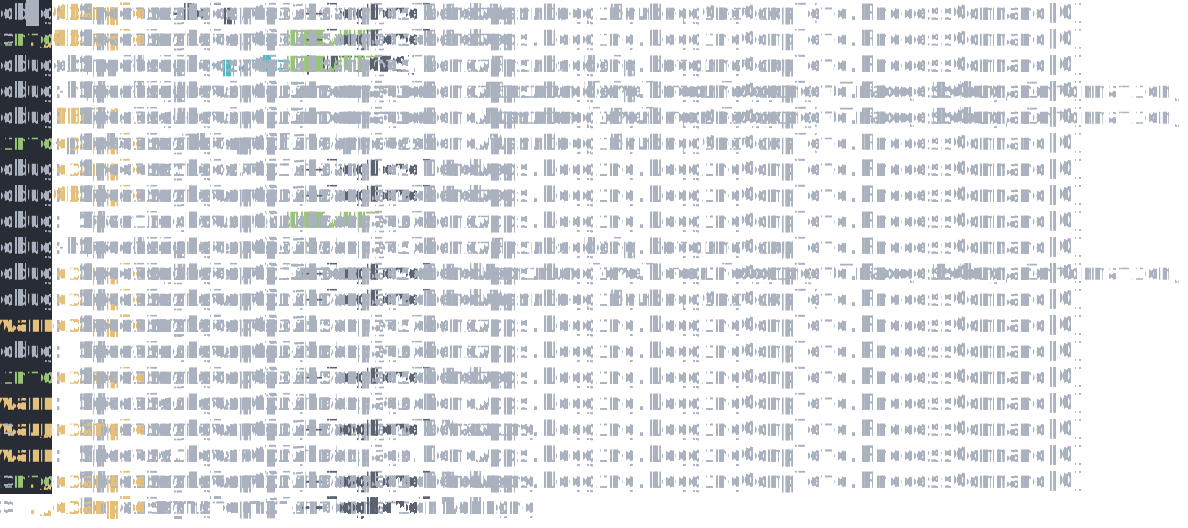
A file processing command that logs its progress. Users can control verbosity with --logLevel.
Prerequisites
- Completed the Quick Start tutorial
- Basic familiarity with dependency injection (see Dependency Injection in CLI Apps)
Starting Without Logging
Let's start with a simple file processing command:
dotnet new console -n LoggingApp
cd LoggingApp
dotnet add package Spectre.Console.Cli
Replace Program.cs with a command that processes files:
public class ProcessSettings : CommandSettings
{
    [CommandArgument(0, "<path>")]
    [Description("The path to process")]
    public string Path { get; init; } = string.Empty;
}

internal class ProcessCommand : Command<ProcessSettings>
{
    protected override int Execute(CommandContext context, ProcessSettings settings, CancellationToken cancellation)
    {
        AnsiConsole.WriteLine($"Starting to process: {settings.Path}");

        // Simulate some work
        for (var i = 1; i <= 3; i++)
        {
            Thread.Sleep(100);
            AnsiConsole.WriteLine($"Processing step {i}...");
        }

        AnsiConsole.WriteLine("Processing complete!");
        return 0;
    }
}
Wire it up:
using Spectre.Console.Cli;

var app = new CommandApp<ProcessCommand>();
return app.Run(args);
Run the application:
dotnet run -- myfile.txt
# Starting to process: myfile.txt
# Processing step 1...
# Processing step 2...
# Processing step 3...
# Processing complete!
This works, but we're using Console.WriteLine directly. We have no way to control verbosity or integrate with
logging infrastructure.
Adding Structured Logging
Add the logging packages:
dotnet add package Microsoft.Extensions.Logging
dotnet add package Microsoft.Extensions.Logging.Console
dotnet add package Microsoft.Extensions.DependencyInjection
Create the DI bridge classes and update the command to inject ILogger<T>:
public sealed class TypeRegistrar(IServiceCollection services) : ITypeRegistrar
{
    public ITypeResolver Build() => new TypeResolver(services.BuildServiceProvider());

    public void Register(Type service, Type implementation) => services.AddSingleton(service, implementation);

    public void RegisterInstance(Type service, object implementation) => services.AddSingleton(service, implementation);

    public void RegisterLazy(Type service, Func<object> factory) => services.AddSingleton(service, _ => factory());
}

public sealed class TypeResolver(IServiceProvider provider) : ITypeResolver
{
    public object? Resolve(Type? type) => type == null ? null : provider.GetService(type);
}internal class ProcessCommand : Command<ProcessSettings>
{
private readonly ILogger<ProcessCommand> _logger;
public ProcessCommand(ILogger<ProcessCommand> logger)
{
_logger = logger;
}
protected override int Execute(CommandContext context, ProcessSettings settings, CancellationToken cancellation)
{
_logger.LogInformation("Starting to process: {Path}", settings.Path);
// Simulate some work with different log levels
for (var i = 1; i <= 3; i++)
{
_logger.LogDebug("Detailed step {Step} information", i);
Thread.Sleep(100);
_logger.LogInformation("Processing step {Step}...", i);
}
_logger.LogInformation("Processing complete!");
return 0;
}
}Configure logging in your entry point:
using Microsoft.Extensions.DependencyInjection;
using Microsoft.Extensions.Logging;
using Spectre.Console.Cli;

var services = new ServiceCollection();
services.AddLogging(builder =>
{
    builder.AddConsole();
    builder.SetMinimumLevel(LogLevel.Information);
});

var registrar = new TypeRegistrar(services);
var app = new CommandApp<ProcessCommand>(registrar);
return app.Run(args);
Run it again:
dotnet run -- myfile.txt
# info: ProcessCommand[0]
#       Starting to process: myfile.txt
# info: ProcessCommand[0]
#       Processing step 1...
Now we have structured logging with category names and log levels. But the level is hard-coded. Let's make it configurable.
Configurable Log Level with Interceptor
Now we'll add command-line control over the log level using a base settings class and an interceptor.
First, create a LogLevelSwitch that holds the current minimum level, and a base LogCommandSettings class:
public class LogLevelSwitch
{
    public LogLevel MinimumLevel { get; set; } = LogLevel.Information;
}

public class LogCommandSettings : CommandSettings
{
    [CommandOption("--logLevel")]
    [Description("Minimum level for logging (Trace, Debug, Information, Warning, Error, Critical)")]
    [DefaultValue(LogLevel.Information)]
    public LogLevel LogLevel { get; set; }
}
Create an interceptor that reads the settings and updates the switch before command execution:
public class LogInterceptor(LogLevelSwitch logLevelSwitch) : ICommandInterceptor
{
    public void Intercept(CommandContext context, CommandSettings settings)
    {
        if (settings is LogCommandSettings logSettings)
        {
            logLevelSwitch.MinimumLevel = logSettings.LogLevel;
        }
    }
}
Update your settings to inherit from LogCommandSettings:
public class ProcessSettings : LogCommandSettings
{
    [CommandArgument(0, "<path>")]
    [Description("The path to process")]
    public string Path { get; init; } = string.Empty;
}
Configure the logging filter to check the switch, and register the interceptor:
using Microsoft.Extensions.DependencyInjection;
using Microsoft.Extensions.Logging;
using Spectre.Console.Cli;

var services = new ServiceCollection();

// Create a log level switch that can be modified at runtime
var logLevelSwitch = new LogLevelSwitch();
services.AddSingleton(logLevelSwitch);

// Configure logging with a filter that checks the switch
services.AddLogging(builder =>
{
    builder.AddConsole();
    builder.AddFilter((category, level) => level >= logLevelSwitch.MinimumLevel);
});

var registrar = new TypeRegistrar(services);
var app = new CommandApp<ProcessCommand>(registrar);

app.Configure(config =>
{
    // Set up the interceptor to configure logging before command execution
    config.SetInterceptor(new LogInterceptor(logLevelSwitch));
});

return app.Run(args);
The TypeRegistrar and TypeResolver stay the same as Step 2.
Try different log levels:
dotnet run -- myfile.txt
# info: Processing step 1...

dotnet run -- myfile.txt --logLevel Debug
# dbug: Detailed step 1 information
# info: Processing step 1...

dotnet run -- myfile.txt --logLevel Warning
# warn: This is a warning message
This pattern has several advantages:
- Reusable: Any command can inherit from
LogCommandSettingsto get the--logLeveloption - Centralized: The interceptor handles log configuration in one place
- Runtime configurable: Users control verbosity without recompiling
- Structured: Log messages include categories, levels, and structured parameters
Congratulations!
You've built a CLI application with configurable logging:
- Commands inject
ILogger<T>for structured logging - A
LogLevelSwitchallows runtime log level changes - An interceptor reads command settings and configures logging before execution
- Base settings classes provide reusable options across commands
Next Steps
- Dependency Injection in CLI Apps - Learn more about dependency injection patterns
- Intercepting Command Execution - Other uses for command interceptors