The JsonText widget displays JSON data with automatic syntax highlighting and formatting.
When to Use
Use JsonText when you need to display structured JSON data in the console. Common scenarios:
- API responses: Show JSON responses from web services with readable formatting
- Configuration files: Display JSON configuration files with syntax highlighting
- Debug output: Pretty-print JSON data structures during development
- Logging: Output structured log data in JSON format with visual distinction
For hierarchical data without JSON syntax, use Tree instead. For plain text with styling, use Text instead.
Basic Usage
Pass a JSON string to the constructor. The widget automatically parses and highlights the syntax.
var json = """
{
    "name": "Spectre.Console",
    "version": "0.54.0",
    "active": true,
    "downloads": 15000000
}
""";

var jsonText = new JsonText(json);
AnsiConsole.Write(jsonText);
Working with Complex JSON
Nested Objects and Arrays
JsonText automatically handles nested structures, maintaining proper indentation and syntax highlighting throughout.
var json = """
{
    "package": "Spectre.Console",
    "tags": ["cli", "console", "terminal"],
    "maintainers": [
        {
            "name": "Patrik Svensson",
            "role": "Lead Developer"
        },
        {
            "name": "Community Contributors",
            "role": "Contributors"
        }
    ],
    "license": "MIT"
}
""";

var jsonText = new JsonText(json);
AnsiConsole.Write(jsonText);
Different Value Types
JsonText applies distinct colors to strings, numbers, booleans, and null values for easy visual scanning.
var json = """
{
    "string": "Text value",
    "integer": 42,
    "float": 3.14159,
    "boolean_true": true,
    "boolean_false": false,
    "null_value": null,
    "array": [1, 2, 3, 4, 5],
    "empty_array": [],
    "empty_object": {}
}
""";

var jsonText = new JsonText(json);
AnsiConsole.Write(jsonText);
Customizing Colors
Member Names and Values
Use MemberColor() to change property name colors and value type methods to customize how data appears.
var json = """
{
    "status": "success",
    "message": "Operation completed",
    "code": 200
}
""";

var jsonText = new JsonText(json)
    .MemberColor(Color.Cyan)
    .StringColor(Color.Yellow);

AnsiConsole.Write(jsonText);
Value Type Colors
Apply different colors to each JSON value type for custom color schemes or to match your application's theme.
var json = """
{
    "string": "Hello World",
    "number": 42,
    "boolean": true,
    "null": null,
    "decimal": 3.14159
}
""";

var jsonText = new JsonText(json)
    .StringColor(Color.Green)
    .NumberColor(Color.Blue)
    .BooleanColor(Color.Yellow)
    .NullColor(Color.Red);

AnsiConsole.Write(jsonText);
Punctuation Colors
Customize braces, brackets, colons, and commas to adjust readability or visual weight.
var json = """
{
    "items": [1, 2, 3],
    "nested": {
        "key": "value"
    }
}
""";

var jsonText = new JsonText(json)
    .BracesColor(Color.Magenta)      // {}
    .BracketColor(Color.Purple)      // []
    .ColonColor(Color.Cyan)          // :
    .CommaColor(Color.Grey);         // ,

AnsiConsole.Write(jsonText);
Advanced Styling
Using Styles Instead of Colors
Use Style objects for additional control like bold, italic, or underline decorations on JSON elements.
var json = """
{
    "important": "This is critical",
    "count": 99
}
""";

var jsonText = new JsonText(json)
    .MemberStyle(new Style(Color.Yellow, decoration: Decoration.Bold))
    .StringStyle(new Style(Color.Green, decoration: Decoration.Italic));

AnsiConsole.Write(jsonText);
Embedding in Containers
Combine JsonText with panels or other containers for better presentation and context.
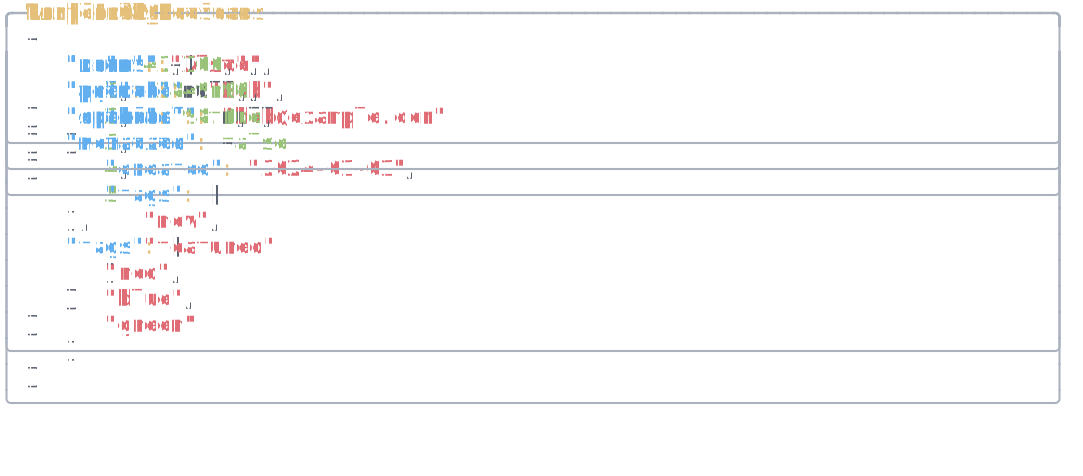
var json = """
{
    "api": "https://api.example.com",
    "timeout": 30,
    "retries": 3,
    "enabled": true
}
""";

var jsonText = new JsonText(json);

var panel = new Panel(jsonText)
    .Header("[yellow]Configuration[/]")
    .BorderColor(Color.Grey)
    .Padding(1, 1);

AnsiConsole.Write(panel);
Real-World Examples
API Response Display
Use JsonText to display API responses with clear visual distinction between property names and values.
var json = """
{
    "status": "success",
    "data": {
        "id": "usr_1234567890",
        "email": "user@example.com",
        "verified": true,
        "created_at": "2024-01-15T10:30:00Z",
        "permissions": ["read", "write"]
    },
    "metadata": {
        "request_id": "req_abc123",
        "duration_ms": 45
    }
}
""";

var jsonText = new JsonText(json)
    .MemberColor(Color.Cyan)
    .StringColor(Color.Green)
    .NumberColor(Color.Blue)
    .BooleanColor(Color.Yellow);

AnsiConsole.MarkupLine("[bold]API Response:[/]");
AnsiConsole.Write(jsonText);
Configuration File Display
Display configuration files with colors that make the structure easy to understand at a glance.
var json = """
{
    "database": {
        "host": "localhost",
        "port": 5432,
        "name": "myapp_db",
        "ssl": true
    },
    "cache": {
        "enabled": true,
        "ttl": 3600,
        "provider": "redis"
    },
    "logging": {
        "level": "info",
        "output": "console"
    }
}
""";

var jsonText = new JsonText(json)
    .MemberColor(Color.Yellow)
    .StringColor(Color.White)
    .NumberColor(Color.Aqua)
    .BooleanColor(Color.Lime);

var panel = new Panel(jsonText)
    .Header("[green]app.config.json[/]")
    .BorderColor(Color.Green);

AnsiConsole.Write(panel);
See Also
- Tree Widget - Hierarchical data without JSON syntax
- Panel Widget - Wrap JSON in bordered containers
- Color Reference - Colors for syntax highlighting
- Text Style Reference - Style decorations
API Reference
A renderable piece of JSON text.
Constructors
JsonText(string json)Initializes a new instance of the class.
Parameters:
json (string)Properties
BooleanStyle
: StyleGets or sets the style used for boolean literals.
BracesStyle
: StyleGets or sets the style used for braces.
BracketsStyle
: StyleGets or sets the style used for brackets.
ColonStyle
: StyleGets or sets the style used for colons.
CommaStyle
: StyleGets or sets the style used for commas.
MemberStyle
: StyleGets or sets the style used for member names.
NullStyle
: StyleGets or sets the style used for null literals.
NumberStyle
: StyleGets or sets the style used for number literals.
Parser
: IJsonParserGets or sets the JSON parser.
StringStyle
: StyleGets or sets the style used for string literals.
Extension Methods
JsonText BooleanColor(Color color)Sets the color used for boolean literals.
Parameters:
color (Color)Returns:
The same instance so that multiple calls can be chained.
JsonText BooleanStyle(Style style)Sets the style used for boolean literals.
Parameters:
style (Style)Returns:
The same instance so that multiple calls can be chained.
JsonText BracesColor(Color color)Sets the color used for braces.
Parameters:
color (Color)Returns:
The same instance so that multiple calls can be chained.
JsonText BracesStyle(Style style)Sets the style used for braces.
Parameters:
style (Style)Returns:
The same instance so that multiple calls can be chained.
JsonText BracketColor(Color color)Sets the color used for brackets.
Parameters:
color (Color)Returns:
The same instance so that multiple calls can be chained.
JsonText BracketStyle(Style style)Sets the style used for brackets.
Parameters:
style (Style)Returns:
The same instance so that multiple calls can be chained.
JsonText ColonColor(Color color)Sets the color used for colons.
Parameters:
color (Color)Returns:
The same instance so that multiple calls can be chained.
JsonText ColonStyle(Style style)Sets the style used for colons.
Parameters:
style (Style)Returns:
The same instance so that multiple calls can be chained.
JsonText CommaColor(Color color)Sets the color used for commas.
Parameters:
color (Color)Returns:
The same instance so that multiple calls can be chained.
JsonText CommaStyle(Style style)Sets the style used for commas.
Parameters:
style (Style)Returns:
The same instance so that multiple calls can be chained.
IEnumerable<Segment> GetSegments(IAnsiConsole console)Gets the segments for a renderable using the specified console.
Parameters:
console (IAnsiConsole)Returns:
An enumerable containing segments representing the specified .
JsonText MemberColor(Color color)Sets the color used for member names.
Parameters:
color (Color)Returns:
The same instance so that multiple calls can be chained.
JsonText MemberStyle(Style style)Sets the style used for member names.
Parameters:
style (Style)Returns:
The same instance so that multiple calls can be chained.
JsonText NullColor(Color color)Sets the color used for null literals.
Parameters:
color (Color)Returns:
The same instance so that multiple calls can be chained.
JsonText NullStyle(Style style)Sets the style used for null literals.
Parameters:
style (Style)Returns:
The same instance so that multiple calls can be chained.
JsonText NumberColor(Color color)Sets the color used for number literals.
Parameters:
color (Color)Returns:
The same instance so that multiple calls can be chained.
JsonText NumberStyle(Style style)Sets the style used for number literals.
Parameters:
style (Style)Returns:
The same instance so that multiple calls can be chained.
JsonText StringColor(Color color)Sets the color used for string literals.
Parameters:
color (Color)Returns:
The same instance so that multiple calls can be chained.
JsonText StringStyle(Style style)Sets the style used for string literals.
Parameters:
style (Style)Returns:
The same instance so that multiple calls can be chained.