JsonText Widget
Render JSON data with syntax highlighting and customizable colors
The JsonText widget displays JSON data with automatic syntax highlighting and formatting.
When to Use
Use JsonText when you need to display structured JSON data in the console. Common scenarios:
- API responses: Show JSON responses from web services with readable formatting
- Configuration files: Display JSON configuration files with syntax highlighting
- Debug output: Pretty-print JSON data structures during development
- Logging: Output structured log data in JSON format with visual distinction
For hierarchical data without JSON syntax, use Tree instead. For plain text with styling, use Text instead.
Basic Usage
Pass a JSON string to the constructor. The widget automatically parses and highlights the syntax.
var json = """
{
    "name": "Spectre.Console",
    "version": "0.54.0",
    "active": true,
    "downloads": 15000000
}
""";

var jsonText = new JsonText(json);
AnsiConsole.Write(jsonText);
Working with Complex JSON
Nested Objects and Arrays
JsonText automatically handles nested structures, maintaining proper indentation and syntax highlighting throughout.
var json = """
{
    "package": "Spectre.Console",
    "tags": ["cli", "console", "terminal"],
    "maintainers": [
        {
            "name": "Patrik Svensson",
            "role": "Lead Developer"
        },
        {
            "name": "Community Contributors",
            "role": "Contributors"
        }
    ],
    "license": "MIT"
}
""";

var jsonText = new JsonText(json);
AnsiConsole.Write(jsonText);
Different Value Types
JsonText applies distinct colors to strings, numbers, booleans, and null values for easy visual scanning.
var json = """
{
    "string": "Text value",
    "integer": 42,
    "float": 3.14159,
    "boolean_true": true,
    "boolean_false": false,
    "null_value": null,
    "array": [1, 2, 3, 4, 5],
    "empty_array": [],
    "empty_object": {}
}
""";

var jsonText = new JsonText(json);
AnsiConsole.Write(jsonText);
Customizing Colors
Member Names and Values
Use MemberColor() to change property name colors and value type methods to customize how data appears.
var json = """
{
    "status": "success",
    "message": "Operation completed",
    "code": 200
}
""";

var jsonText = new JsonText(json)
    .MemberColor(Color.Cyan)
    .StringColor(Color.Yellow);

AnsiConsole.Write(jsonText);
Value Type Colors
Apply different colors to each JSON value type for custom color schemes or to match your application's theme.
var json = """
{
    "string": "Hello World",
    "number": 42,
    "boolean": true,
    "null": null,
    "decimal": 3.14159
}
""";

var jsonText = new JsonText(json)
    .StringColor(Color.Green)
    .NumberColor(Color.Blue)
    .BooleanColor(Color.Yellow)
    .NullColor(Color.Red);

AnsiConsole.Write(jsonText);
Punctuation Colors
Customize braces, brackets, colons, and commas to adjust readability or visual weight.
var json = """
{
    "items": [1, 2, 3],
    "nested": {
        "key": "value"
    }
}
""";

var jsonText = new JsonText(json)
    .BracesColor(Color.Magenta)      // {}
    .BracketColor(Color.Purple)      // []
    .ColonColor(Color.Cyan)          // :
    .CommaColor(Color.Grey);         // ,

AnsiConsole.Write(jsonText);
Advanced Styling
Using Styles Instead of Colors
Use Style objects for additional control like bold, italic, or underline decorations on JSON elements.
var json = """
{
    "important": "This is critical",
    "count": 99
}
""";

var jsonText = new JsonText(json)
    .MemberStyle(new Style(Color.Yellow, decoration: Decoration.Bold))
    .StringStyle(new Style(Color.Green, decoration: Decoration.Italic));

AnsiConsole.Write(jsonText);
Embedding in Containers
Combine JsonText with panels or other containers for better presentation and context.
var json = """
{
    "api": "https://api.example.com",
    "timeout": 30,
    "retries": 3,
    "enabled": true
}
""";

var jsonText = new JsonText(json);

var panel = new Panel(jsonText)
    .Header("[yellow]Configuration[/]")
    .BorderColor(Color.Grey)
    .Padding(1, 1);

AnsiConsole.Write(panel);
Real-World Examples
API Response Display
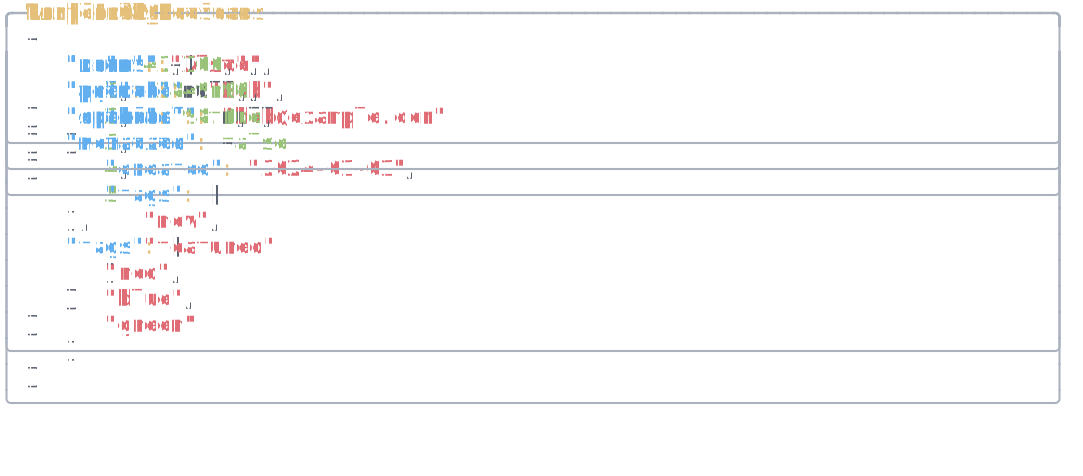
Use JsonText to display API responses with clear visual distinction between property names and values.
var json = """
{
    "status": "success",
    "data": {
        "id": "usr_1234567890",
        "email": "user@example.com",
        "verified": true,
        "created_at": "2024-01-15T10:30:00Z",
        "permissions": ["read", "write"]
    },
    "metadata": {
        "request_id": "req_abc123",
        "duration_ms": 45
    }
}
""";

var jsonText = new JsonText(json)
    .MemberColor(Color.Cyan)
    .StringColor(Color.Green)
    .NumberColor(Color.Blue)
    .BooleanColor(Color.Yellow);

AnsiConsole.MarkupLine("[bold]API Response:[/]");
AnsiConsole.Write(jsonText);
Configuration File Display
Display configuration files with colors that make the structure easy to understand at a glance.
var json = """
{
    "database": {
        "host": "localhost",
        "port": 5432,
        "name": "myapp_db",
        "ssl": true
    },
    "cache": {
        "enabled": true,
        "ttl": 3600,
        "provider": "redis"
    },
    "logging": {
        "level": "info",
        "output": "console"
    }
}
""";

var jsonText = new JsonText(json)
    .MemberColor(Color.Yellow)
    .StringColor(Color.White)
    .NumberColor(Color.Aqua)
    .BooleanColor(Color.Lime);

var panel = new Panel(jsonText)
    .Header("[green]app.config.json[/]")
    .BorderColor(Color.Green);

AnsiConsole.Write(panel);
See Also
- Tree Widget - Hierarchical data without JSON syntax
- Panel Widget - Wrap JSON in bordered containers
- Color Reference - Colors for syntax highlighting
- Text Style Reference - Style decorations
API Reference
A renderable piece of JSON text.
Constructors
public JsonText(string json)
Initializes a new instance of the JsonText class.
Parameters:
json (string)Properties
Indentation
: stringGets or sets the indentation. Defaults to three spaces.
Parser
: IJsonParserGets or sets the JSON parser.